How to use TablID
Short videos with a voice and captions, so they work with your phone on silent too. Open the one you need.
Set up and run your restaurant
In the order you will need them. Under a minute each.
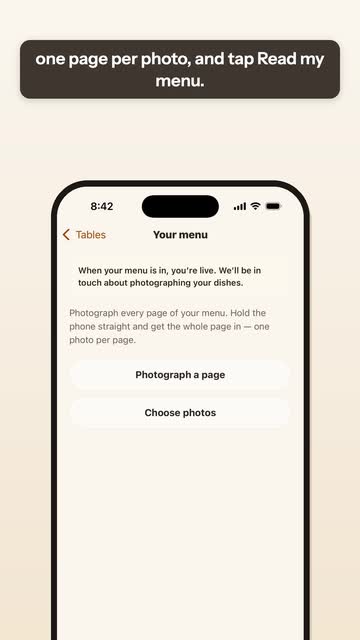 Menu from a photoEnglish24 secPhotograph each page of your printed menu. TablID drafts the dishes and prices for you to check.
Read what it says
Start with your menu. When you sign up, photograph each page of your printed menu, one page per photo, and tap Read my menu. We read it and draft your dishes and prices. Check them, and fix anything that came out wrong. After that, everything is in the Menu tab: change a price, add a photo, or mark a dish sold out.
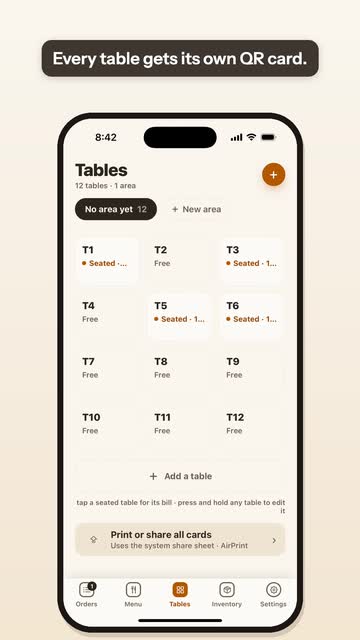 Tables and QR cardsEnglish20 secAdd each table once. Print all the QR cards in one go and put each on its table.
Read what it says
Next, your tables. In the Tables tab, add each table once. Every table gets its own QR card. Print or share all the cards in one go, and put each card on its table. When a guest scans it, your menu opens on their phone, for that table.
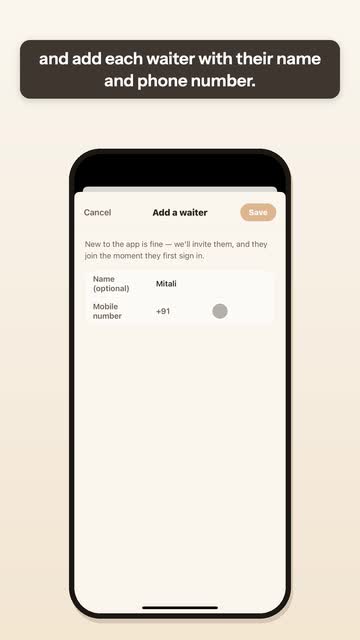 Add your staffEnglish21 secA name and a phone number for each waiter. They sign in with a code, and their name goes on the orders they take and the dishes they cancel.
Read what it says
Now add your staff. In Settings, open Your team, and add each waiter with their name and phone number. They sign in on their own phone with a code sent by text, no password. From then on, every order they take and every dish they cancel carries their name.
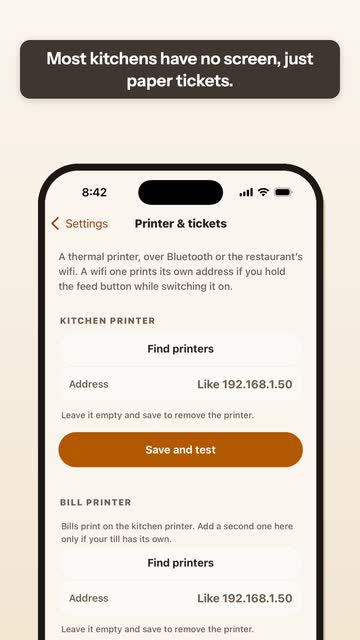 Kitchen printer and the switchesEnglish41 secConnect a Bluetooth or WiFi printer, then let waiter and QR orders print in the kitchen by themselves.
Read what it says
Then the kitchen printer. On the phone that will print, open Settings, then Printer and tickets. Tap Find printers for a Bluetooth printer, or type a WiFi printer's address, then Save and test. Most kitchens have no screen, just paper tickets. If yours has no screen, open How the app behaves, and switch Kitchen has its own screen off. Then open Printing, and switch on Accept and print waiter orders by themselves, and Accept and print QR orders by themselves. Keep TablID open on the phone that prints, and every new order prints in the kitchen without a tap.
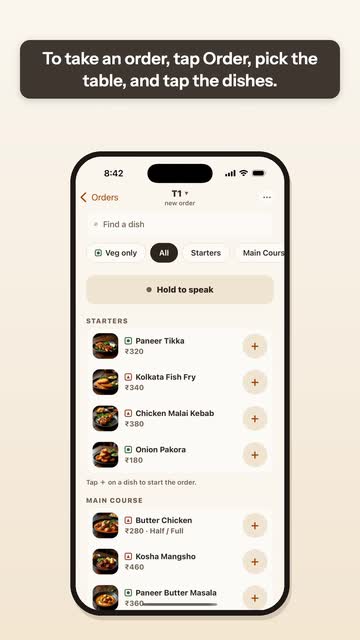 Take an orderEnglish16 secPick the table and tap the dishes, or hold the button and say the order out loud.
Read what it says
To take an order, tap Order, pick the table, and tap the dishes. Or hold the button and say the order out loud: TablID fills it in for you. Check the order, then tap Send to kitchen.
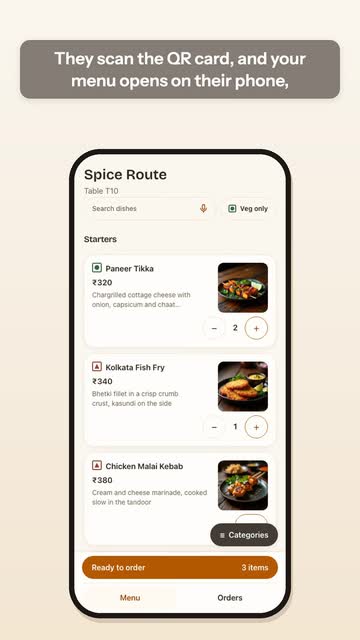 Guest QR ordersEnglish20 secGuests scan the card and order on their own phone, with no app to download.
Read what it says
Guests can order on their own. They scan the QR card, and your menu opens on their phone, with photos and prices, no app to download. They add dishes and place the order. It reaches your Orders screen, and with the QR switch on, the ticket prints in the kitchen by itself.
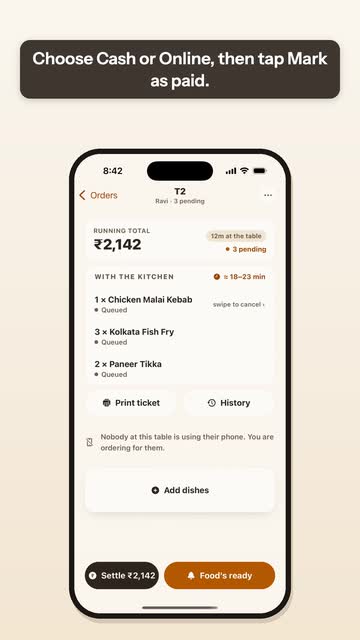 Settle a billEnglish18 secOpen the table, tap Settle, choose cash or online and mark it paid. Discounts stay with you and your manager.
Read what it says
When a table is done, open it and tap Settle. Choose Cash or Online, then tap Mark as paid. The table is free for the next guests. Waiters can't give a discount; that stays with you and your manager.
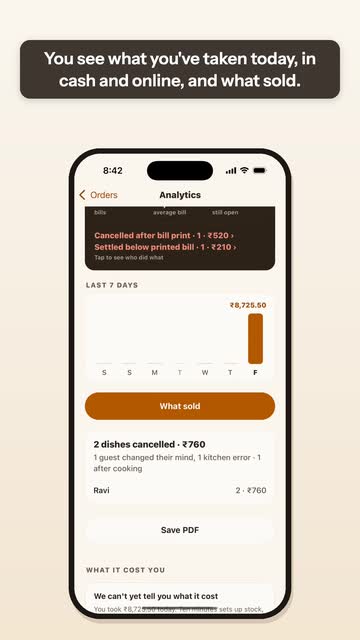 Today’s reportEnglish27 secWhat you took today, what sold, and who cancelled what, by name. Save the day as a PDF.
Read what it says
Your day is in Analytics, at the top of the Orders screen. You see what you've taken today, in cash and online, and what sold. Below that, cancelled dishes are counted under the name of the person who cancelled them. Two lines matter most: Cancelled after bill print, and Settled below printed bill. Tap them to see who did what. You can also save the day as a PDF.
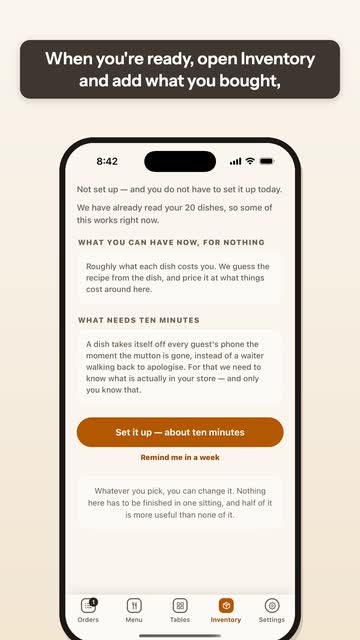 Stock (optional)English16 secAdd what you bought by voice or with a photo of the bill, and see what is running low.
Read what it says
Stock is optional. When you're ready, open Inventory and add what you bought, by voice or with a photo of the bill. TablID then shows you what's running low, before it runs out.
Watch TablID
What an evening looks like, for you and for someone you want to show.
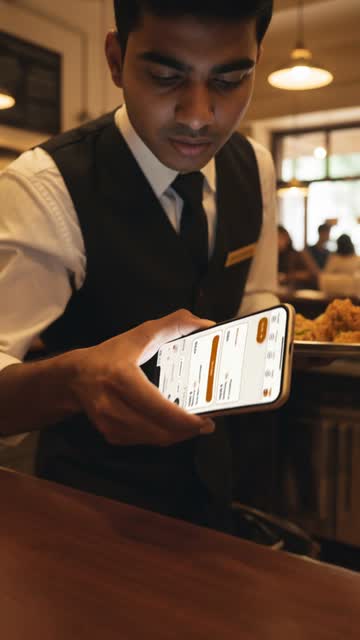 TablID for ownersEnglish1 min 22 secAway from the counter, you still see every order, bill and cancelled dish on your phone.
Read what it says
Away from the counter? Every order, bill, and cancelled dish is still recorded right on your phone. A full house tonight. You can't be at the counter all day, but with TablID, nothing goes unseen. Every order, bill, and rupee is on record, right on your phone. Even if a dish is cancelled, you'll always know exactly who did it. Guests scan the QR code on the table and order from your menu on their own phone. No app to download. Or your waiter takes the order with a few taps, or just by speaking it. The ticket prints in the kitchen by itself. When the table is done, settle the bill, cash or online. Today's takings are right there on your phone. Every cancel carries a name. And once a bill is printed, it can't be wiped to zero. Anything taken off it afterwards shows in your report, with a name on it. Your data is safe with us. You sign in with a code sent to your phone, no password. Your restaurant's data is stored in India, in Mumbai, kept separate from every other restaurant, and travels encrypted. Your waiters can't open your takings or reports. Start today at tablid.com.
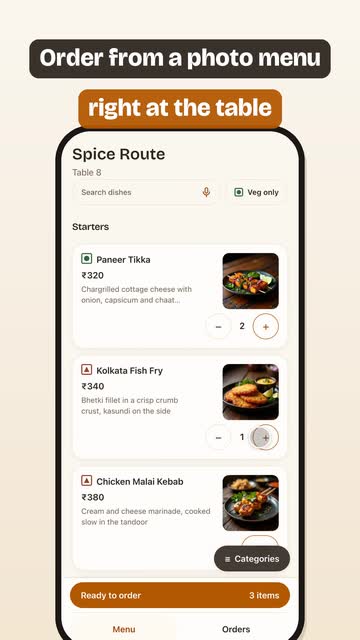 A guest orders by QR, in shortMusic, English captions28 secFrom the table scan to the kitchen ticket and the settled bill.
Read the captions
Dinner rush. Orders everywhere? Guests scan the table QR no app to download Order from a photo menu right at the table Order sent straight to the restaurant It rings at the counter on your waiter's phone Same table, same order one tap to accept The kitchen ticket prints by itself Settle the bill cash or online See today's takings right on your phone Menu, stock, tables, team all in one app
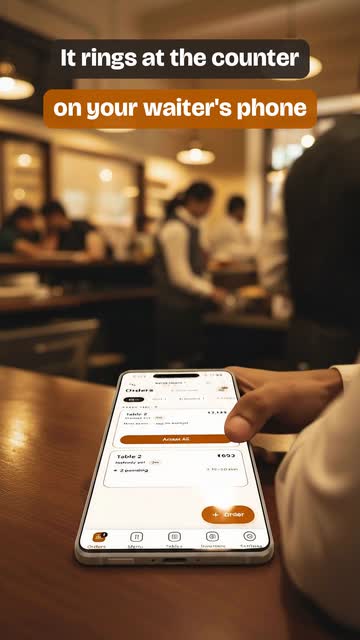 A guest orders by QR, the full storyMusic, English captions59 secThe same evening, plus voice orders, sold-out dishes, stock and your team.
Read the captions
Dinner rush. Orders everywhere? Guests scan the table QR no app to download A photo menu on every guest's phone Add dishes, place the order straight from the table Order sent straight to the restaurant It rings at the counter on your waiter's phone Same table, same order one tap to accept The kitchen ticket prints by itself Or take orders by voice hold and speak Review it, send it to the kitchen Settle the bill cash or online Today's takings save the report as PDF Sold out? Two taps you pick when it comes back Every table gets a QR card print it or share it Add your waiters they sign in with their phone See what may run out before tonight's rush Add stock by voice or a photo of the bill English, Bengali or Hindi each person picks theirs GST-ready bills with a UPI pay QR
 A waiter takes the order, in shortMusic, English captions28 secSay the order at the table and the ticket prints in the kitchen.
Read the captions
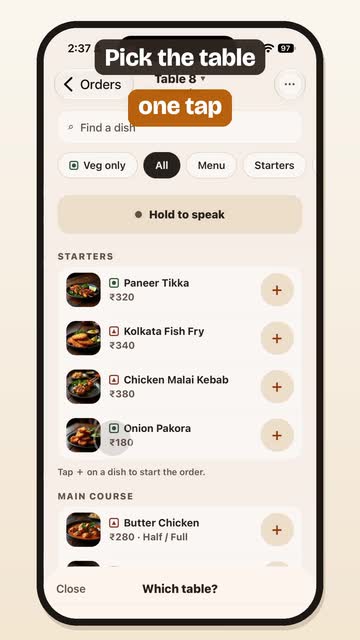
Dinner rush. Orders everywhere? Your waiter takes the order on the TablID app Pick the table one tap Then just say the order hold and speak The whole order, by voice six items, no typing Review it, send it to the kitchen Straight to the kitchen the ticket prints by itself Settle the bill cash or online See today's takings right on your phone Menu, stock, tables, team all in one app
 A waiter takes the order, the full storyMusic, English captions58 secThe same evening, plus tickets that print themselves, sold-out dishes, stock and your team.
Read the captions
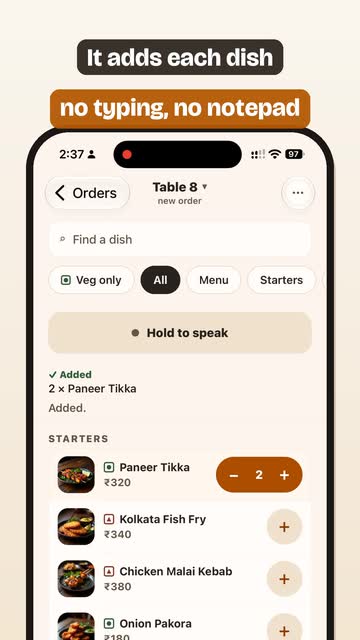
Dinner rush. Orders everywhere? Your waiter takes the order on the TablID app Pick the table one tap Then just say the order hold and speak It adds each dish no typing, no notepad Say the rest it adds to the same order The whole order, by voice six items, no typing Review it, send it to the kitchen Straight to the kitchen the ticket prints by itself Orders print by themselves switch it on once Every table, live what's with the kitchen Settle the bill cash or online Today's takings save the report as PDF Sold out? Two taps you pick when it comes back Every table gets a QR card print it or share it Add your waiters they sign in with their phone See what may run out before tonight's rush Add stock by voice or a photo of the bill English, Bengali or Hindi each person picks theirs GST-ready bills with a UPI pay QR